Sample Seer
A downloadable App
Sample Seer is a Windows tool made for music artists, producers, beatmakers, archivists, collectors, and anyone with a messy folder full of audio or video files.
It does more than just transcribe audio. Sample Seer can also search by how the music and sound actually feel.
Search for things like:
- old gospel choir with organ
- funky drum break
- woman singing
- sad piano loop
- preacher talking over music
- vinyl crackle
- dark synth drone
- crowd cheering
- psychedelic guitar
- soft female vocal
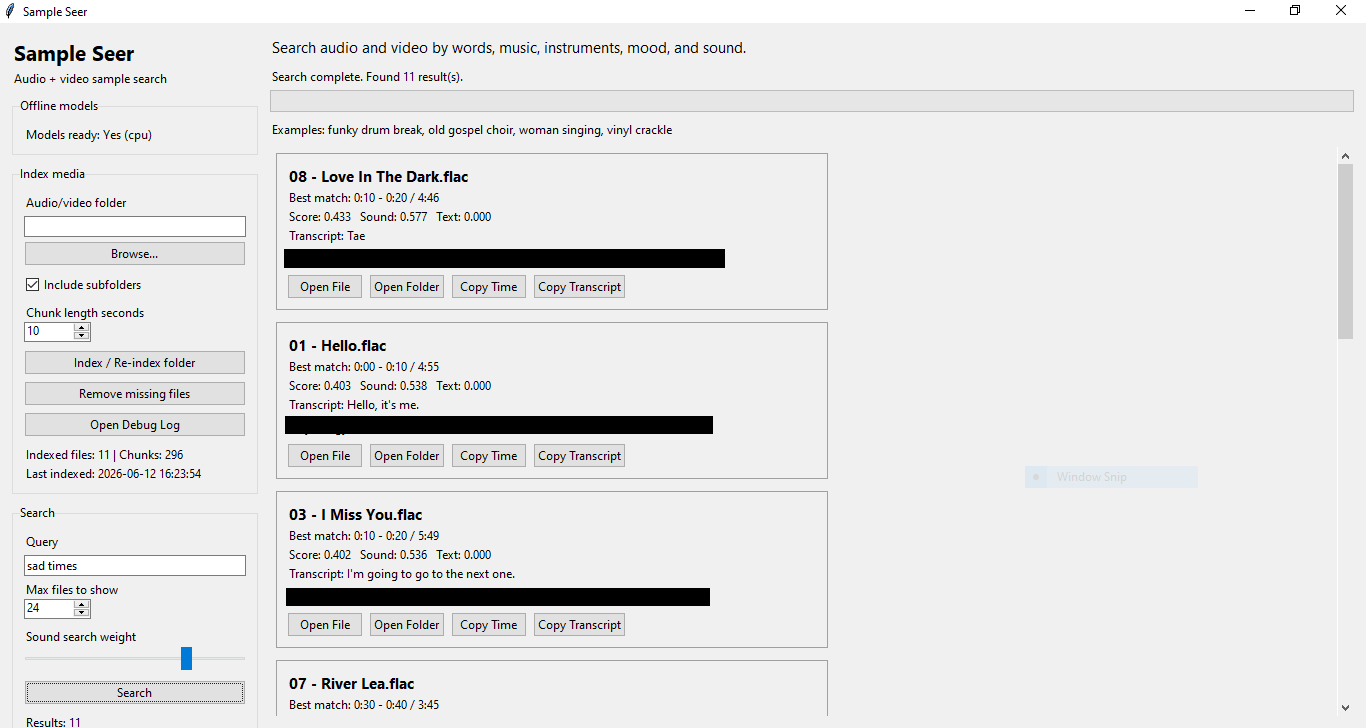
Sample Seer scans your audio and video files, breaks them into short searchable chunks, analyzes the sound, and shows you the best matching timestamp.
For video files, Sample Seer uses the audio inside the video, so videos become searchable too.
Plug and Play
This version is already packaged for Windows.
No Python setup is needed. No Streamlit is needed. No account is needed. No extra files need to be downloaded.
Just open the folder, run SampleSeer.exe, choose a folder, index your files, and start searching.
What Makes It Different
Most tools only search filenames or words from transcripts.
Sample Seer searches:
1. What is said Speech, lyrics, dialogue, sermons, interviews, vocal lines, and spoken phrases.
2. How it sounds Mood, instruments, texture, vocals, drums, musical feel, noise, ambience, and sample-worthy moments.
That means you can find useful audio even when you do not know the file name, the lyrics, or the exact timestamp.
Features
- Offline Windows app
- Searches audio and video files
- Transcribes speech and vocals when possible
- Searches by sound, mood, instrument, and description
- Shows the best matching timestamp
- Shows one clean result per file
- Open the matching file
- Open the containing folder
- Copy the timestamp
- Copy transcript text
- Local search index
- No cloud upload
Supported File Types
Audio:
MP3, WAV, FLAC, M4A, OGG, AAC, WMA
Video:
MP4, MOV, MKV, AVI, WEBM, M4V, WMV, MPG, MPEG
Example Uses
Find a vocal sample buried in a long recording.
Search old music folders for drum breaks.
Find sermon clips, spoken phrases, or interview moments.
Search videos for useful audio without watching the whole thing.
Dig through sample libraries by description instead of filename.
Find songs or recordings with a certain mood, instrument, or texture.
Privacy
Sample Seer runs locally on your computer.
Your audio, videos, transcripts, and search index are not uploaded to a cloud service. Everything stays on your machine.
Important Notes
The first time you index a large folder, it can take a while because the app is analyzing and indexing each file.
After indexing, searching is much faster.
Sample Seer helps you find possible samples, but it does not clear copyright or licensing rights. Make sure you have permission to use any sample in your own work.
Included
- Sample Seer Windows app folder
- End-user PDF guide
- Local AI model files
- No extra downloads required
Purchase
In order to download this App you must purchase it at or above the minimum price of $4.99 USD. You will get access to the following files:
Leave a comment
Log in with itch.io to leave a comment.